
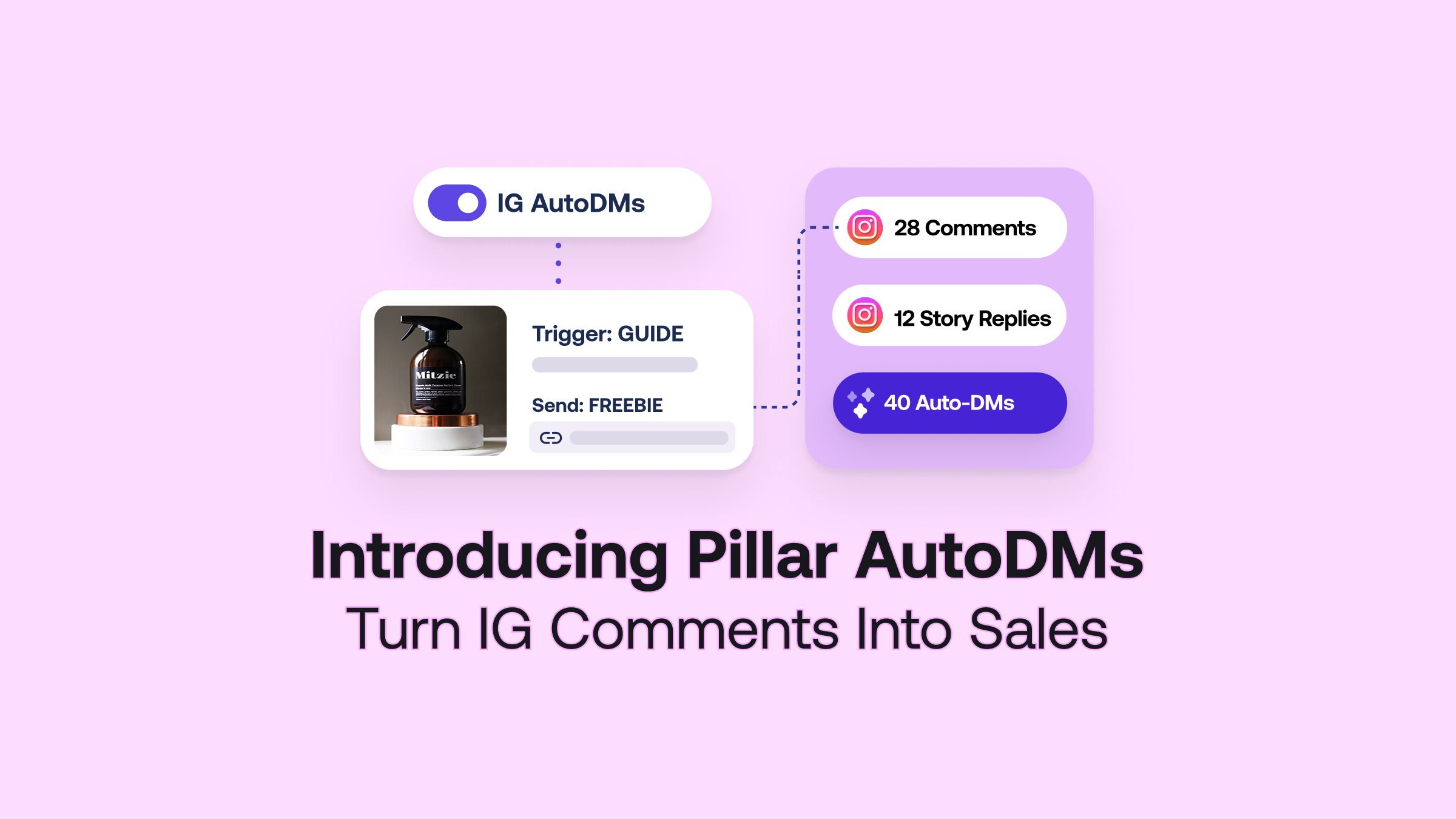
Introducing Auto-DM: Your Comment Section is Your New Sales Team

Introducing Auto-DM on Pillar: Your Comment Section is Your New Sales Team
If you're creating content worth watching, people are reaching out. Comments, DMs, story replies, they're all coming in, and they're all coming from people who want something from you.
The problem isn't that you're not engaging. It's that there are only so many hours in the day, and your audience doesn't stop growing. Someone comments on your post asking where to buy your product. Someone else DMs you about booking a session. Another person replies to your story asking for the link. By the time you get to any of them, the moment has passed.
🎉 That's where Auto-DM comes in.
Here's how it works:
Set a keyword trigger on any of your Instagram posts. The moment someone comments that word, they automatically get a DM from you with your message and your link. Instantly. Whether you're filming, posting, or completely offline.
You set it up once. Pillar does the rest.
It can work across all posts, specific posts, and story comments. All managed directly inside your Pillar dashboard.
What you can do with it:
💸 Sell products straight from your posts. Tell your audience to drop a keyword in the comments to get the link to your course, e-book, or template. They get an instant DM with a direct link to your Pillar store. No extra clicks, no waiting.
🎁 Deliver freebies and lead magnets automatically. Offer a free guide or resource and let Pillar deliver it to everyone who asks. It's one of the easiest ways to grow your audience and warm up future buyers at the same time.
📈 Grow your reach while you convert. Comments feed the Instagram algorithm. The more people engage with your posts, the more Instagram pushes your content to new audiences. Auto-DM gives people a reason to comment, which means more reach and more revenue from the same post.
How to set up Auto-DM on Pillar:
Step 1: Head to "Auto DM" in your Pillar dashboard & Connect your Instagram account. 🔗
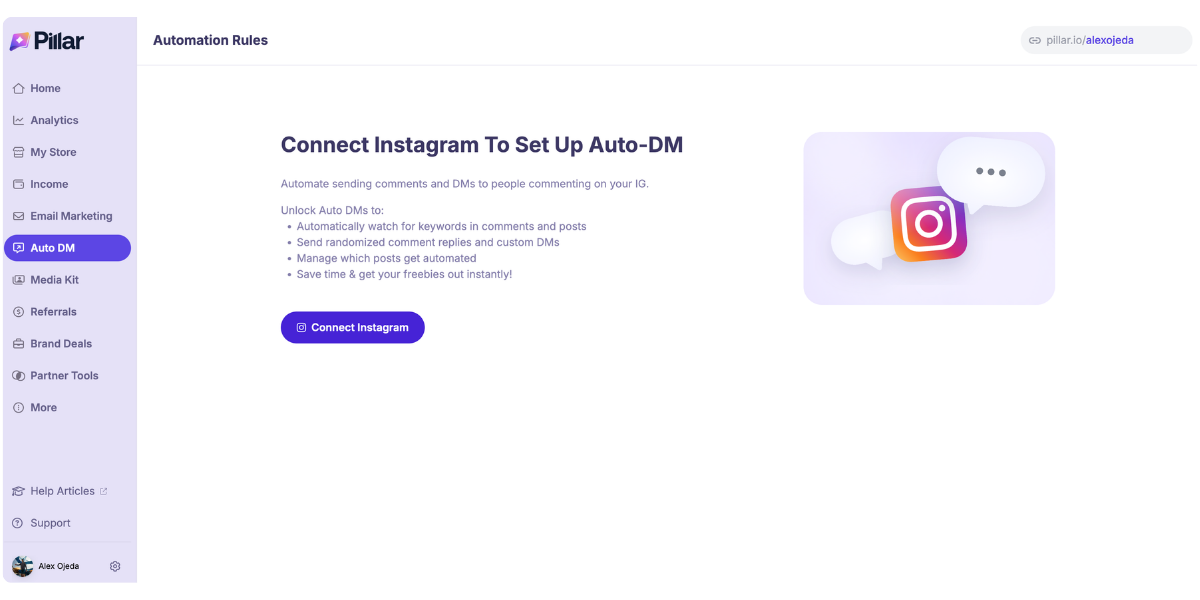
Step 2: Click "+ New Automation Rule."
Step 3: Enter your keyword under “Trigger on these keywords or phrases.” Add as many keywords as you’d like to a single rule. Choose whether it fires across all your posts, specific ones, or even your Instagram Story replies.
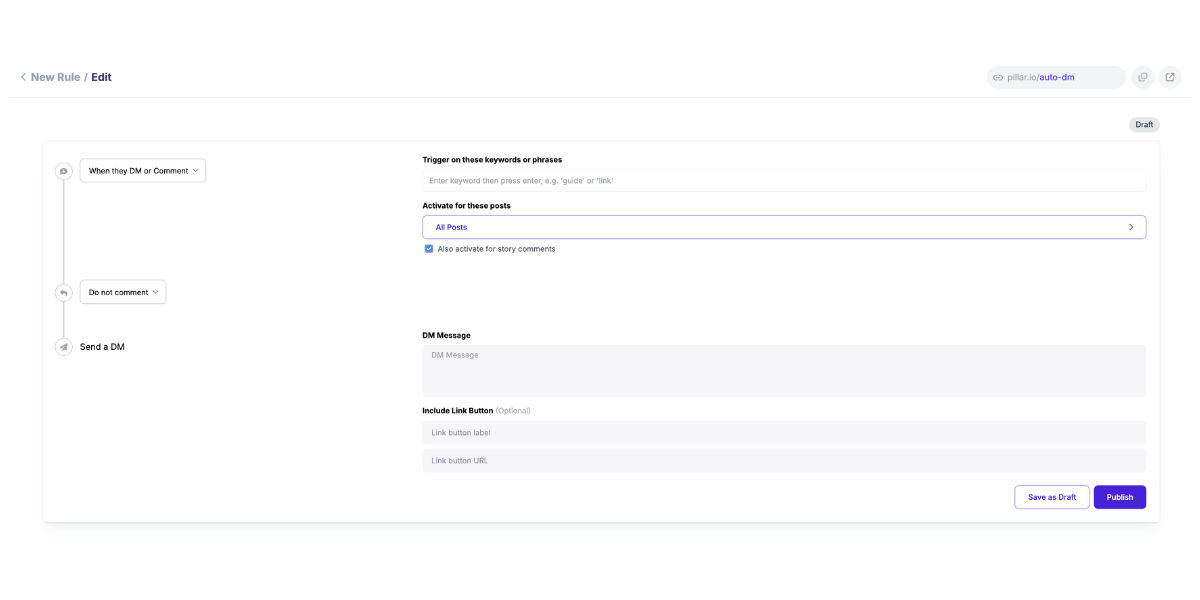
Step 4: Choose whether you respond back publicly on the post via a comment, or just send the DM quietly behind the scenes.
Step 5: Write the message(s) your followers will receive. Optionally add a link button pointing to your Pillar store, a specific product, your booking page, wherever you want them to land. 🎯
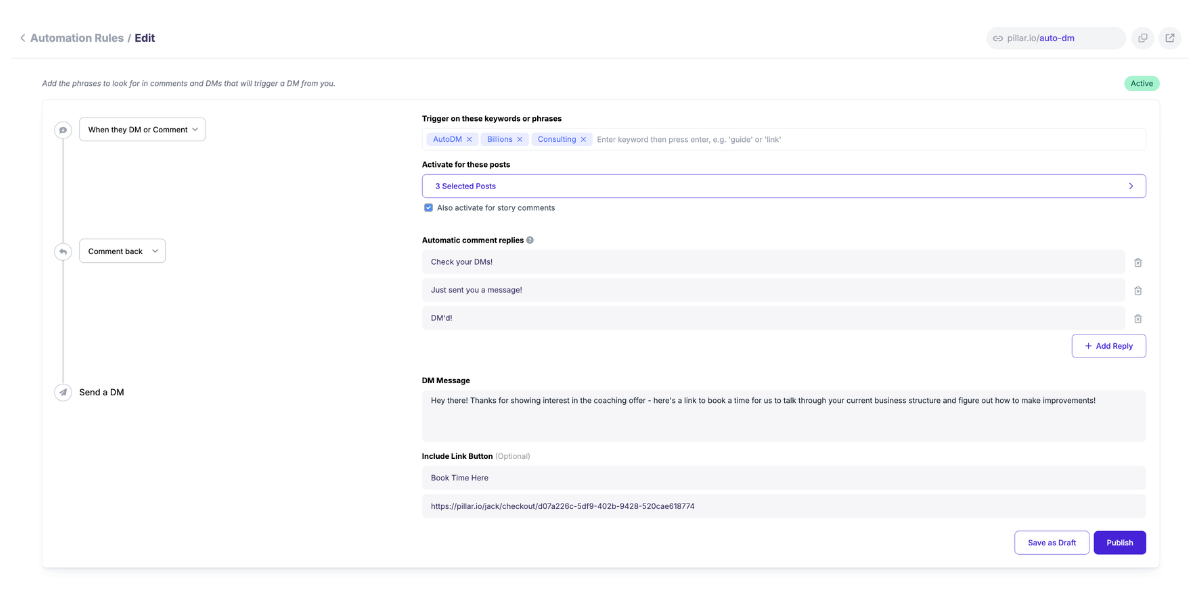
Step 6: Hit Publish. Track DMs sent, comments triggered, and link clicks right from your dashboard. 📡
🚀 Your audience is already there. Set up your first rule today and start converting around the clock.